Mastering Instagram Hashtags Tips & Tricks for Boosting Engagement

As much as the correct use of hashtags will make your page and business flourish, not using them correctly will cause your page to be hit. Therefore, mere hashtagging will not have a positive effect on your page. What is important is to find the best and most appropriate hashtags and how to use them correctly.
Hashtags on Instagram can make or break your page. But this depends on how you use Instagram hashtags. If hashtags are used correctly, your posts will be seen by more people and your posts will receive more likes and comments.
On the other hand, with the correct use of hashtags, your internet business will make significant progress.
As much as the correct use of hashtags will make your page and business flourish, not using them correctly will cause your page to be hit. Therefore, mere hashtagging will not have a positive effect on your page. What is important is to find the best and most appropriate hashtags and how to use them correctly.
When you use hashtags on Instagram correctly, you will get more visitors, your engagement rate will increase and you will attract more followers. But to be more successful with hashtags on Instagram, you need to be strategic. The meaning of acting strategically in hashtagging is to pay attention to what hashtag you use and when. When the most popular hashtags on Instagram are used millions of times, it does not mean that you will also get thousands and millions of likes using them. Just by writing #happiness or #pizza.
Instead of using popular and popular hashtags, it is better to find hashtags that are short and creative and attract a high audience. Next to that, put users as Target Audiences who are interested in the content produced on your page or your business.
Now the question is how to find interesting, creative and popular hashtags? The best way is to search and see what hashtags your audience, competitors and leaders in your industry or profession are using.
Proper use of hashtags related to the content of your page will allow you to take your posts to Instagram Explorer. Posts going to explorer will increase visitors and then followers.
In order to get the best Instagram hashtags, there are many points that should be considered. In this section, we introduce 4 effective methods to find the best hashtags on Instagram.
1. Research your audience
Throwing random hashtags at the end of Instagram posts will not increase your audience. Instead, you can search what hashtags your audience is using and find out which of those hashtags are suitable for the content you are producing. Then promote using those hashtags.
2. Research your competitors
One of the best ways to find the most important Instagram hashtags is to follow the top pages in your profession. Evaluate your competitors' content creation strategy and pay attention to their top posts. The hashtags they used in their posts can be used for your future posts.
3. Follow successful influencers in your field of activity
Every profession and industry has its own influencers. Get to know these people and get inspired by their posts and create new ideas. Influencers are actually people who are already known by your target audience. So it is better to get ideas from the top trends in your profession.
4. Find relevant hashtags
Check the hashtags you are considering. Type your desired hashtags in the search bar of the program and then select the Tags option from the drop-down list. Now you can see all the top hashtags that are related to your personal hashtag.
Note: The correct and optimal use of hashtags is one of the ways to increase the rate of interaction and find your way to Explorer.
Some important tips regarding hashtagging on Instagram 2021!
As we said, hashtags on Instagram can be a good tool to be seen; Of course, provided that they are used correctly. They can also harm your page and business if they are not used correctly. In this section, we introduce 4 important rules about Instagram hashtags that are necessary and necessary to pay attention to in 2021.
1. When should we use Instagram hashtags?
If we want to give a short answer to this question, we have to say that you should use hashtags on Instagram whenever possible. Use hashtags whenever you share content on Instagram. If your goal is to be seen by a larger audience, use Instagram hashtags whenever you make a post or story.
2. How many hashtags are appropriate to use?
Regarding the most appropriate number to put a hashtag on Instagram, there is no firm rule. However, some experts like Alex Tooby recommend using the maximum number of hashtags allowed. High volume hashtagging allows you to experiment with more keywords and discover new hashtags. Of course, some other people recommend using the 5-10 hashtag. But in general, if you can find up to 30 related hashtags for a specific topic,
How to Switch Back to a Personal Account on Instagram
Account --> Linked Accounts, if the Facebook check is marked above, your account will be Facebook is connected. Click on Facebook, Instagram will be connected to the Facebook account and will return to the Instagram software, and the Unlink button will be displayed. Click on it, then the button will change the status to a personal account. Click , your account will become personal.","type":"unstyled","depth":0,"inlineStyleRanges":[],"entityRanges":[],"data":{}},{"key":"d4950","text":"Note this point, if you are not connected to the Facebook account, it is not possible to return to personal mode.","type":"unstyled","depth":0,"inlineStyleRanges":[],"entityRanges":[],"data":{}},{"key":"9s46","text":"Important note: Due to the filtering of Instagram and the use of a proxy to connect to Instagram, it is possible for security reasons; Instagram does not make changes. Test again for this later.","type":"unstyled","depth":0,"inlineStyleRanges":[],"entityRanges":[],"data":{}},{"key":"3n947","text":"After selecting the option, do you change the status to a personal account? (Switch back to personal account) A page will open, select the switch back option.","type":"unstyled","depth":0,"inlineStyleRanges":[],"entityRanges":[],"data":{}},{"key":"944mb","text":"Now you will go back to personal mode and you will have private account settings.","type":"unstyled","depth":0,"inlineStyleRanges":[],"entityRanges":[],"data":{}},{"key":"4l961","text":"If you failed to change:","type":"unstyled","depth":0,"inlineStyleRanges":[],"entityRanges":[],"data":{}},{"key":"57ro7","text":"With the recent updates of Instagram, it is possible that you do all the steps and still your account is not changed to a personal one, there are two ways to make changes that you can do:","type":"unstyled","depth":0,"inlineStyleRanges":[],"entityRanges":[],"data":{}},{"key":"59t6a","text":"1- You may not remember your Facebook account, create a Facebook account again with the number you used to create an Instagram account, after connecting to Instagram, disconnect Instagram from Facebook, your problem will be solved.","type":"unstyled","depth":0,"inlineStyleRanges":[],"entityRanges":[],"data":{}},{"key":"c7h2p","text":"2- If the above steps still do not work, log in on another phone and perform the exit steps. It is possible to login 5 accounts with each Instagram software.","type":"unstyled","depth":0,"inlineStyleRanges":[],"entityRanges":[],"data":{}},{"key":"bh167","text":"\"you have reached the limit for the number of businesses you can create at this time\" error","type":"unstyled","depth":0,"inlineStyleRanges":[],"entityRanges":[],"data":{}},{"key":"4kvb2","text":"This message is usually displayed to accounts that are connected to Facebook and allows them to make changes only once a month. To fix this error, you must create a new page in your Facebook account, fill in your information completely, and then connect your account to it again. This error takes about three weeks on average to be fixed.","type":"unstyled","depth":0,"inlineStyleRanges":[],"entityRanges":[],"data":{}}]}">
Step 1: To get out of Instagram business mode, just go to the Instagram settings section, this section is displayed on the top of the main page of the Instagram profile as three lines above each other.
Second step: Then by clicking on this option, you will see the Instagram settings page, on the opened page, click on the settings and privacy option marked with a gear symbol.
Third step: By clicking on settings, you enter the settings section of your Instagram account, in this section we go to the account type and tools (Business tools and controls) section.
Step 4: Enter the account type and tools section and select the switch account type option at the bottom of the page.
Step 5: After choosing the option to change the account type, a page will open at the bottom where there are two options to change the status to a personal account and to go to the content producer account. If we want to change our account to a personal one, the first option And if you are a personal business, choose the second option.
Step 6: On the page that opens, click on the option to change the status to a personal account, after a few seconds your account will become personal.
Very important point:
If you change the status to a personal account? and saw that no change was made, your account has been converted to a business with a Facebook account, to check this point, go to Settings --> Account --> Linked Accounts, if the Facebook check is marked above, your account will be Facebook is connected. Click on Facebook, Instagram will be connected to the Facebook account and will return to the Instagram software, and the Unlink button will be displayed. Click on it, then the button will change the status to a personal account. Click , your account will become personal.
Note this point, if you are not connected to the Facebook account, it is not possible to return to personal mode.
Important note: Due to the filtering of Instagram and the use of a proxy to connect to Instagram, it is possible for security reasons; Instagram does not make changes. Test again for this later.
After selecting the option, do you change the status to a personal account? (Switch back to personal account) A page will open, select the switch back option.
Now you will go back to personal mode and you will have private account settings.
If you failed to change:
With the recent updates of Instagram, it is possible that you do all the steps and still your account is not changed to a personal one, there are two ways to make changes that you can do:
1- You may not remember your Facebook account, create a Facebook account again with the number you used to create an Instagram account, after connecting to Instagram, disconnect Instagram from Facebook, your problem will be solved.
2- If the above steps still do not work, log in on another phone and perform the exit steps. It is possible to login 5 accounts with each Instagram software.
"you have reached the limit for the number of businesses you can create at this time" error
This message is usually displayed to accounts that are connected to Facebook and allows them to make changes only once a month. To fix this error, you must create a new page in your Facebook account, fill in your information completely, and then connect your account to it again. This error takes about three weeks on average to be fixed.
Why Does an Instagram Account Show an Instagram User
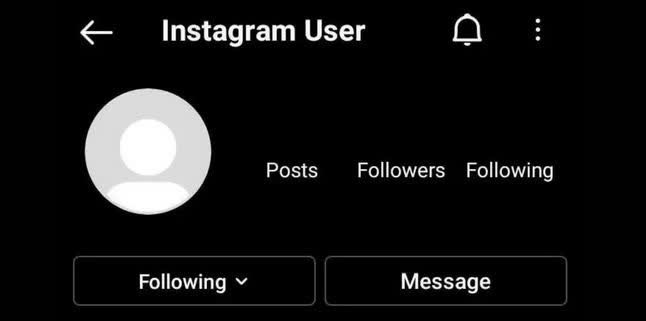
In the last few days, some users have reported that Instagram has kicked them out of their account for no reason and they are facing problems when they log in again. Some of these accounts have encountered an error message stating that their account has been blocked or deleted even though they apparently did not do anything against the rules of this application. Others have encountered the number verification message that they are unable to do.
According to Instagram, these accounts have not been deleted and the company is aware of the problems of users and is investigating to fix the problem.
However, if you visit these profiles with another account, you will encounter the message Sorry, this page isn't available, which is usually related to deleted or disabled accounts. It seems that the deactivated accounts are not similar to each other; Some pages are personal, some are related to businesses, and some may not even have a post!
However, it seems that these users are having trouble activating their account and the number verification SMS is not sent to them either. So, if you are also facing this problem, at least for now, you cannot do anything to activate your account and you have to wait for Instagram to solve the problem.
Some users encounter the following error message when logging in to Instagram:
Confirm it's You to Login
We noticed unusual activity from your account so we've logged you out.
Follow the next steps within 30 days so we can try to get you back into your account before it's disabled.
First, you have to check the I'm not a robot option. In these cases, Instagram usually shows you several images and asks you to select images that contain a certain object (such as a bicycle, boat, traffic light, etc.). After selecting the images and pressing the Verify button, you can go to the next step by pressing the Next button at the bottom of the page.
Now Instagram will ask you for your phone number or email address. By entering them and pressing the Send Confirmation button, a code will be sent to you that you must enter in the next step. If no code is sent after a few minutes, tap Get a new Code. After receiving and entering the code, press Submit. If you go through all the steps correctly, you will be redirected to the login page and you will be able to access your account.
If you don't see an image, the problem is probably due to filtering and banning. You should try the methods of bypassing the ban and changing the IP. Note that it is better to disconnect the filter breaker or similar tools after going through the steps and fixing the problem.
What is the cause of Instagram account deactivation?
Deactivation of your Instagram account may have several reasons. One of the reasons to use Instagram with a filter breaker is that it is especially free. Free filters change your IP address and thus your location every time you use them. In this way, Instagram thinks that several people from different countries have access to your account and disables it. Try to avoid using filter breakers as much as possible, especially free ones.
Why Instagram Suspended the Account Mistakenly
As a social media influencer, Instagram has been a significant part of my personal and professional life.
I use the platform to share my thoughts and experiences and connect with my followers.
However, my experience with Instagram’s mistaken account suspension made me realize how vulnerable we can be on social media platforms.
In this article, I will share my experience of why Instagram suspended the account mistakenly, its impact on my personal and professional life, and the lessons I learned from it.
One day, while scrolling through my Instagram feed, I noticed I could no longer access my account.
I tried logging in, but I kept getting an error message.
At first, I thought it was a technical glitch, but after a few attempts, I realized that my account had been suspended.
I was shocked and confused because I had not violated any of Instagram’s community guidelines.
I tried contacting Instagram’s support team but received an automated response saying that my account had been suspended for violating their community guidelines.
However, they did not specify which guidelines I had violated.
I was frustrated and stressed because Instagram was a significant part of my personal and professional life, and I did not know what to do next.
The suspension of my Instagram account significantly impacted my personal and professional life.
On a personal level, I felt disconnected from my followers, who were like a family.
I had built a strong community on Instagram, and the suspension of my account made me feel like I had lost touch with them.
It was like losing a part of myself.
On a professional level, the suspension of my account affected my brand partnerships and collaborations.
Most of my brand partnerships were through Instagram, and suspending my account meant I could not fulfill my obligations.
I lost out on several opportunities and had to refund some of my clients.
It was a big blow to my business and reputation.
After receiving the automated response from Instagram’s support team, I knew I had to take matters into my own hands.
I did some research and found that I could appeal the suspension of my account.
I followed the steps outlined on Instagram’s help center and submitted an appeal.
I explained that I had not violated their community guidelines and requested they review my account.
I also contacted some of my contacts who had experienced a similar issue and asked for their advice.
They suggested that I be persistent and keep contacting Instagram’s support team until I receive a response.
I followed their advice and sent several follow-up emails to Instagram’s support team, explaining my situation and requesting an update on my appeal. After my experience with Instagram’s mistaken account suspension, I researched and discovered that there are common reasons why Instagram suspended my account mistakenly.
- Posting inappropriate content that violates Instagram’s community guidelines.
- Spamming other users with comments or direct messages.
- Buying followers or engagement.
- Using bots or automation to grow your account.
- Posting copyrighted content without permission.
My experience with Instagram’s mistaken account suspension made me realize the importance of having a backup plan for social media accounts.
Social media platforms could be better, and mistakes can happen.
A backup plan ensures you retain your content, followers, and brand partnerships.
I now back up my content regularly and have a presence on other social media platforms.
I also maintain an email list and website to stay connected with my followers and clients in case of any issues on social media platforms.
How to Report an Instagram Account to Police
With the increasing progress of technology, we see the creation of various internet applications and programs and their useful uses, but this also has many disadvantages. In cyberspace, especially Instagram, there are many people who create fake accounts and engage in harassment, publishing private pictures of others, spreading lies and rumors, threats and even fraud.
It should be noted that some say that these networks, because they are foreign networks, cannot file complaints against these wrongdoers, and these complaints will not have any results.
But in principle, this is not the case and this crime can be pursued in the computer crimes court and all the cases that will be discussed. In this article, we will discuss how to file a complaint, the time it takes to file a complaint, the competent court to handle the complaint, and finally, the necessary documents for the complaint.
First of all, keep in mind that you can complain about the account that has caused you trouble on Instagram, in this situation, it does not matter if that account is currently available or not, but it is important that you have a screenshot or proof of the messages. Have it exchanged and... so that you can follow it legally.
It is also possible that you and many people trust stores that are unreliable or do not have an electronic trust symbol or even have one, they do not send a product after depositing money, or they create pages in the name of charity and attempt to deceive. They are scamming and you have suffered financial losses because of this.
But know that you can follow and track through FATA police by having personal account information and page name.
How should I raise my complaint about Instagram pages?
By reporting a violation, including insult, fraud, etc., you can file a complaint against a person, page, or Instagram account and go through the legal process.
More precisely, you can take action against Instagram pages in the following ways:
Go to the Computer Crimes Prosecutor's Office (FATA Police) at the address of the second floor of Sadeghieh, Ayatollah Kashani Highway, Abazar St., corner of Bostan II West and file a case in the Computer Crimes Department and go through the legal procedures. The Prosecutor's Office examines the case according to the subject and refers it to the FATA police. Also, for other cities, you can refer to the police specific to that city, the addresses of these centers are available in the link below.
The competent court for proceedings is the court where the crime occurred, which in this case is your place of residence.
How long does it take to file a complaint against an Instagram page?
Due to the volume of cases and due to the fact that, unfortunately, these incidents are happening day by day in the virtual space, it must be stated that it cannot be predicted in any way and the exact time cannot be stated.
What documents should I bring to complain about the Instagram page?
For your complaint, you must present all the documents and documents you have and attach them to your file, and note that according to Article 160 of the Islamic Penal Code, to prove this act, confession of martyrdom, swearing, and oath must be used.
Examples of complaints about Instagram pages
Title of complaint: computer fraud
Reasons: 1- Payment receipts 2- Telegram/Whatsapp/Instagram direct messages 3- National card
Time of the crime: April 1399
Place of crime: Instagram platform
Honorable President of the General and Revolutionary Prosecutor's Office of the 31st District of Tehran (Computer Crimes Prosecutor's Office)
Hello
Sincerely; It leads to a great evocation:
At the end of last year, I paid a total of five million Tomans to the account of an individual named …… to the card number of ……. But unfortunately, after about 2 months, there is no news of the promised goods.
This person presents himself as a seller of cheap clothes by pretending and doing fraudulent acts in the form of various advertisements, and without delivering any goods, he simply takes money from different people by taking numerous orders.
Therefore, according to Article 107 of the Criminal Procedure Law, I request immediate payment of the amount requested by blocking the complainant's account at the mentioned number.
Also, according to Article 13 of the Law on Computer Crimes, I request the punishment of this person as a computer fraudster.
Sample complaint of threat to publish private photos on Instagram
Reasons: Instagram direct messages
Time of the crime: April 1399
Place of crime: Instagram platform
Honorable President of Tehran Computer Crimes Prosecutor's Office
Hello
I …… to the address: …… by attaching the picture of the Instagram messages of Mr. …… with an anonymous account, declares that I am suing him.
It should be mentioned that by hacking my account on Instagram, which was private, he saved my private pictures and threatened me to publish the pictures in cyberspace in exchange for his unethical requests.
Please, in order to protect my servant's reputation, arrest him as soon as possible and issue a verdict of guilt.